PC/104, PC 104, Plus, Card, Repair, Rework, DeSolder, Connector, Removal

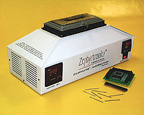
ZT-6 AIRFOUNTAIN®
Rapid & Effective Thru-Hole Hot-Air “Selective Soldering” Reflow System

Yes! You Can Simultaneously Solder or DeSolder Hundreds of Thru-Hole Joints In Less Than One Minute!


METHOD ONE:
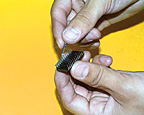
“Solder Pre-forms” for Selective Soldering Mixed Boards.


STEP 1: Assemble the “Solder Pre-form” onto the connector (on thru-hole component)
as shown.


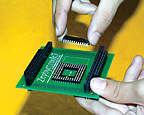
STEP 2: Insert conn-ector (with pre-forms attached) into board from above as shown.


METHOD TWO:
“Paste-in-Hole”, “Pin-in-Paste” “Intrusive Reflow Soldering” for Selective Soldering Mixed Boards.

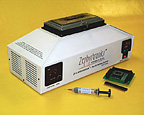
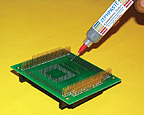
STEP 1: Carefully dispense the determined amount of Solder Paste to the thru-hole pad and barrel. A good rule of thumb: have a minimum pin-to-hole ratio of 0.3.

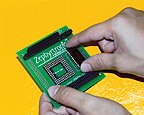
STEP 2: Insert conn-ector from above into the board as shown.


METHOD THREE:
“Solder Washers” for Selective Soldering Mixed Boards.


STEP 1: Assemble the Solder Washers onto the connector (or thru-hole component)
as shown.


STEP 2: Insert the connector (with Solder Washers over pins) into the board from below (so washers do not fall off). Washers will be sand-wiched between conn-ector body and substrate.
 
SOLDERING THRU-HOLE JOINTS
  S T E P S   3  &  4   F O R   A L L   M E T H O D S :
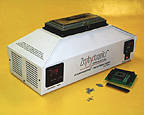
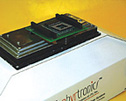
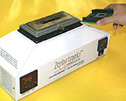
    STEP 3: Position PCB onto the ZT-6 with connector leads into opening of cor-responding FountainHead®. (Approx. one minute for reflow using the Digital Countdown Timer). Use ABC-6 to support larger PCB assemblies   STEP 4: After count-down, gently remove PCB from AirFountain® and cool PCB rapidly. Clean and inspect. Ready for next board! Turn off ZT-6 when finished  

  DE-SOLDERING THRU-HOLE JOINTS  


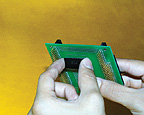
STEP 1: Turn on ZT-6 AirFountain® and set temperature to your determined reflow setting. Position PCB onto the ZT-6 with connector pins inside of opening of corresponding FountainHead®.


STEP 3: Remove PC Board from off of the ZT-6 AirFountain®. Clean and inspect. Turn off the ZT-6 AirFountain®.


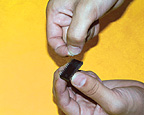
  STEP 2: After count-down of approximately 30 to 60 seconds (use Digital Countdown Timer), extract the connector (or thru-hole component) with a proper extracting tool from out of the PC board.


DISCLAIMER

The ZT-6 AirFountain
® can and does provide rapid and simultaneous reflow of multi-pinned thru-hole devices without reflowing adjacent components, but Zephyrtronics always recommends a brief pre-heating stage of the PCB assembly prior to the reflow stage at the ZT-6 AirFountain®. Please see our very effective, award-winning AirBath Preheating Systems. Remember, preheating will yield shorter duration at reflow and lower reflow temperatures.

These illustrations are only intended to give a brief understanding of how the ZT-6 AirFountain® operates and its capacities, utilities and features. As with all soldering equipment, operators and technicians must read and review owners manuals and be trained before operating equipment.


  © 1996 - 2010 Zephyrtronics®. All rights reserved. The information you receive online from Zephyrtronics® is protected by the copyright laws of the United States. The copyright laws prohibit any copying, redistributing, retransmitting, or repurposing of any copyright-protected material. Zephyrtronics is the registered trademark property of JTI, Inc. "The Science of Zephyrtronics" and "Simplicity Through Innovation" and "Zephlux" and "ZeroLead" and "Zero Balling" and "Zero Residue" and "Post Cooling" are the protected trademark property of JTI, Inc. "Zephyrtronics" and "Low Melt" and "Air Fountain" and "Fountainhead" are the registered trademark properties of JTI Inc. *The above names are the registered property of their respective owners.